




Digital Engineer
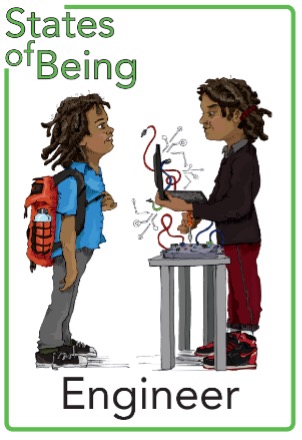
Intent
A high-quality computing education equips pupils to use computational thinking and creativity to understand and change the world. Computing has deep links with mathematics, science, and design and technology, and provides insights into both natural and artificial systems. The core of computing is computer science, in which pupils are taught the principles of information and computation, how digital systems work, and how to put this knowledge to use through programming. Building on this knowledge and understanding, pupils are equipped to use information technology to create programs, systems and a range of content. Computing also ensures that pupils become digitally literate – able to use, and express themselves and develop their ideas through, information and communication technology – at a level suitable for the future workplace and as active participants in a digital world.
How do we learn?
Our computing curriculum is taught through carefully sequenced units delivered each term. Physical computing is used to engage pupils and to help them develop their understanding in creative, hands‑on ways. Learning is captured digitally using Seesaw, allowing pupils to reflect on their progress and share their work.
Each lesson builds on prior learning, ensuring a clear progression of skills and knowledge. Activities are scaffolded where appropriate so that every pupil can succeed. This may include additional visual prompts or structured support, enabling all learners to work towards the same goals.
Formative assessment is embedded in every lesson. Teachers use a range of strategies—such as observation, questioning, and reviewing pupil work—to identify misconceptions and address them promptly.
Online safety is taught discretely, providing space for high‑quality discussion and ensuring pupils develop the knowledge and confidence to use technology responsibly.
What is ‘covered’?
■ Algorithms —Be able to comprehend, design, createand evaluate algorithms
■ Computer networks —Understand how networks can be used to retrieve and share information, and how they come with associated risks
■ Computer systems — Understand what a computer is, and how its constituent parts function together as a whole
■ Creating media — Select and create a range of media including text, images, sounds and video
■ Data and information —Understand how data is stored, organised, and used to represent realworld artefacts and scenarios
■ Design and development —Understand the activities involved in planning, creating, and evaluating computing artefacts
■ Effective use of tools —Use software tools to support computing work
■ Impact of technology —Understand how individuals, systems, and society as a whole interact with computer systems
■ Programming —Create software to allow computers to solve problems
■ Safety and security —Understand risks when using technology, and how to protect individuals and systems
Online Safety
Online safety lessons are taught using Project Evolve, a national online‑safety programme, to help children learn how to use technology confidently, responsibly, and safely. The lessons are age‑appropriate and build year on year, helping pupils develop the knowledge and habits they need as they grow up in a digital world.
Project Evolve is based on the UK’s Education for a Connected World framework and is organised into different strands. Each strand focuses on an important part of staying safe online.
Children learn about online safety through these key areas:
- Self‑Image and Identity — understanding how they present themselves online and how others may see them
- Online Relationships — learning how to communicate kindly and safely with others
- Online Bullying — recognising unkind behaviour and knowing how to report it
- Managing Online Information — spotting reliable information and avoiding misinformation
- Health, Wellbeing and Lifestyle — understanding how screen time and online activity affect their wellbeing
- Privacy and Security — learning how to keep personal information safe
- Copyright and Ownership — understanding that online content belongs to someone and must be used responsibly
If you want to be a Digital Engineer at home, try looking at these websites with your adult:
- KS1 BBC Bitesize Computing: https://www.bbc.co.uk/bitesize/subjects/zyhbwmn
- KS2 BBC Bitesize Computing: https://www.bbc.co.uk/bitesize/subjects/zvnrq6f
- KS2: https://blockly.games/?lang=en
- Google Interland (KS2 E-Safety game): https://beinternetawesome.withgoogle.com/en_us/interland
- Minecraft coding game: https://code.org/minecraft
- Rapid Router game: https://www.codeforlife.education/rapidrouter/
- Explore the world of Scratch: https://scratch.mit.edu/
Free apps:
Stop motion studio
Beebot
Daisy the dinosaur
Kodable
Hopscotch
ScratchJr
TYNKER
Digital-Engineer-Units-KS1.pdf
Digital-Engineer-Units-KS2.pdf
Digital-Engineer-KS1-Vocabulary.pdf
Digital-Engineer-KS2-Vocabulary.pdf
Digital Engineer